Articles of Education: software and applications
News Update
Loading...
Showing posts with label software and applications. Show all posts

Tuesday, August 5, 2025

Michael Antonovych Empowers Businesses to Ask Better Questions Without Coding

Michael Antonovych Empowers Businesses to Ask Better Questions Without Coding

Featured Image

A Visionary Approach to Technology and Data

Michael Antonovych has dedicated his career to making technology practical and people-focused. With experience in education, software development, and operations, he consistently tackled a common challenge: businesses had vast amounts of data but struggled to extract clear insights when they needed them most.

At Brightgrove, Antonovych led international growth and built strong systems that supported both clients and staff. This experience later inspired him to launch SolaraCloud, a platform that allows users to ask questions in plain language and receive fast, helpful answers without needing to write code. As founder and CEO of both SolaraCloud and 28software, Antonovych helps businesses turn information into action. His tools reflect how people naturally think, enabling teams to move faster, stay focused, and make confident decisions.

A Background in Practical Education

Antonovych’s interest in accessibility began with his work in education. In 2016, he joined Sigma Software Group and built Sigma Software University from the ground up. What started as internal training for employees expanded to include university students and even younger learners curious about programming.

He collaborated with educators and employers to create programs focused on practical skills. He helped launch Ukraine’s national IT-Eureka hackathon and formed partnerships with top universities. These initiatives provided students with clear paths from learning to employment and offered valuable hands-on experience.

Antonovych believed that education should lead to something useful. By focusing on real-world applications, he helped bridge the gap between classroom and industry in ways that continued to shape how Sigma Software approached talent development.

Scaling with Structure at Brightgrove

In 2017, Antonovych joined Brightgrove as Chief Operating Officer. His task was to grow the company’s international operations while maintaining quality. Under his leadership, Brightgrove opened offices in Germany and expanded in North America. Within 18 months, the company secured two Fortune 500 clients, and U.S. revenue grew to 25 percent of the total.

He also made improvements inside the company. He increased billable hours from 70 to 85 percent and cut idle time by more than half. Recruitment became faster and more consistent through the use of data-informed hiring systems.

Antonovych focused on building systems that supported teams and helped them grow efficiently. That mindset would carry into his later ventures.

From Consulting to a New Kind of Platform

After Brightgrove, Antonovych began consulting. He worked with several tech companies, many of which had strong systems in place. Yet he kept hearing the same problem. Sales teams, HR managers, and operations leads had questions they couldn’t easily answer. They either waited for analysts or gave up.

This inspired him to create SolaraCloud. The platform enables users to ask direct questions in plain language and receive clear, meaningful answers. Users don’t need to learn new systems or write code. The platform handles the complexity behind the scenes.

SolaraCloud adapts to the user, rather than asking users to change their habits. This approach enables teams to act quickly and stay informed.

Designed Around Real Team Needs

SolaraCloud allows different teams to create their workspaces. Legal, marketing, operations, and other departments can connect their data sources and set up workflows that align with their existing operational processes. Teams don’t need engineers to build reports or manage updates.

The impact has been measurable. A consulting agency using SolaraCloud reduced 320 hours of reporting to a single-click process, saving $180,000 per year. A gaming studio improved its customer support response time from 30 minutes to 2 minutes, resulting in savings of over $300,000.

Antonovych and his team continue to update the platform based on direct user feedback. This helps them improve the product without sacrificing ease of use.

Global Experience Shapes Product Design

Antonovych’s experience leading international teams helped shape how SolaraCloud works. At Brightgrove, he managed teams across Germany, North America, and Eastern Europe. Each region came with different business norms and levels of technical fluency.

These experiences taught him the importance of prioritizing flexibility. SolaraCloud supports various team structures and compliance needs. Most users are up and running in a matter of weeks. The platform can adapt to multiple workflows without requiring teams to modify their existing processes.

By focusing on adaptability, Antonovych created a product that fits how businesses work, not the other way around.

Tools That Do What They Promise

Antonovych believes the best tools are the ones people use. He has always focused on function over flash, whether building learning platforms or enterprise-level software.

SolaraCloud continues that philosophy. Its interface is clean and intuitive. Users don’t need training or technical backgrounds to see results. Companies in consulting, retail, insurance, and gaming use the platform because it saves time and reduces friction in their workflows.

For Antonovych, the success of a product is measured by how much easier it makes someone’s day. That mindset has earned SolaraCloud a place in a growing number of industries.

A Clear Vision for the Future

Antonovych and his team are focused on improving SolaraCloud while staying true to its original purpose. The next phase encompasses three primary objectives.

First, the platform will expand its understanding of user questions, improving its ability to interpret a broader range of natural language input. Second, SolaraCloud will roll out new features tailored to industries like legal, insurance, and consulting. These sectors rely heavily on data but often lack user-friendly tools. Third, the company plans to simplify access for small and medium-sized businesses through faster setup and more flexible pricing options.

Each step supports a larger goal: helping more teams use data effectively without needing additional resources or technical skills.

Changing How People Use Information

Antonovych believes technology should help people think clearly and work more efficiently. SolaraCloud provides users with direct access to their data and the flexibility to ask specific questions at their own pace.

This shift in control helps businesses move faster. Teams no longer wait days for reports or answers. They can test ideas, confirm facts, and make decisions in real time.

Antonovych has built more than a platform. He has built a way for people to work smarter by providing them with the tools to ask better questions and obtain clear answers. That approach has already made a significant difference in how companies approach data, and it continues to shape the future of workplace technology.
Sunday, June 29, 2025

Webflow Website Builder 2025 Review: Mastering Web Design Simplified

Webflow Website Builder 2025 Review: Mastering Web Design Simplified

This latest Webflow review examines one of the most sophisticated website builders available in 2025. Unlike traditional drag-and-drop platforms, Webflow generates clean HTML, CSS, and JavaScript code while maintaining an intuitive visual interface. The platform has evolved significantly since its 2013 launch, now offering comprehensive features for everything from simple portfolios to complex e-commerce stores.

Techradar reviewers have spent thousands of hours testing 140+ website builders to understand what works best for different users. Webflow competes in an increasingly competitive market with many tools featured in our best website builders roundup . Yet while Wix remains our top pick for most users, Webflow targets a different audience entirely with its advanced feature set.

Webflow appeals to designers, agencies, and businesses that need precise control over their website's appearance and functionality. We found Webflow delivers exceptional creative freedom, but this comes with complexity that may overwhelm beginners.

Webflow: 2-minute review

Webflow positions itself as the professional's choice for visual web development. Our testing confirms this reputation, reviewing a unique platform that combines the accessibility of drag-and-drop builders with the precision of hand-coded websites. You get clean and production-ready code without writing a single line yourself.

This company has built a strong reputation among web professionals since 2013, attracting designers and developers who need advanced tools to bring their visions to life. Webflow's market position is unique — it's more complex than Wix or Squarespace but more accessible than pure development frameworks like HTML5 and PHP. Recent updates in 2025 have also added AI-powered tools, improved CMS capabilities, and better team collaboration features.

What is Webflow?

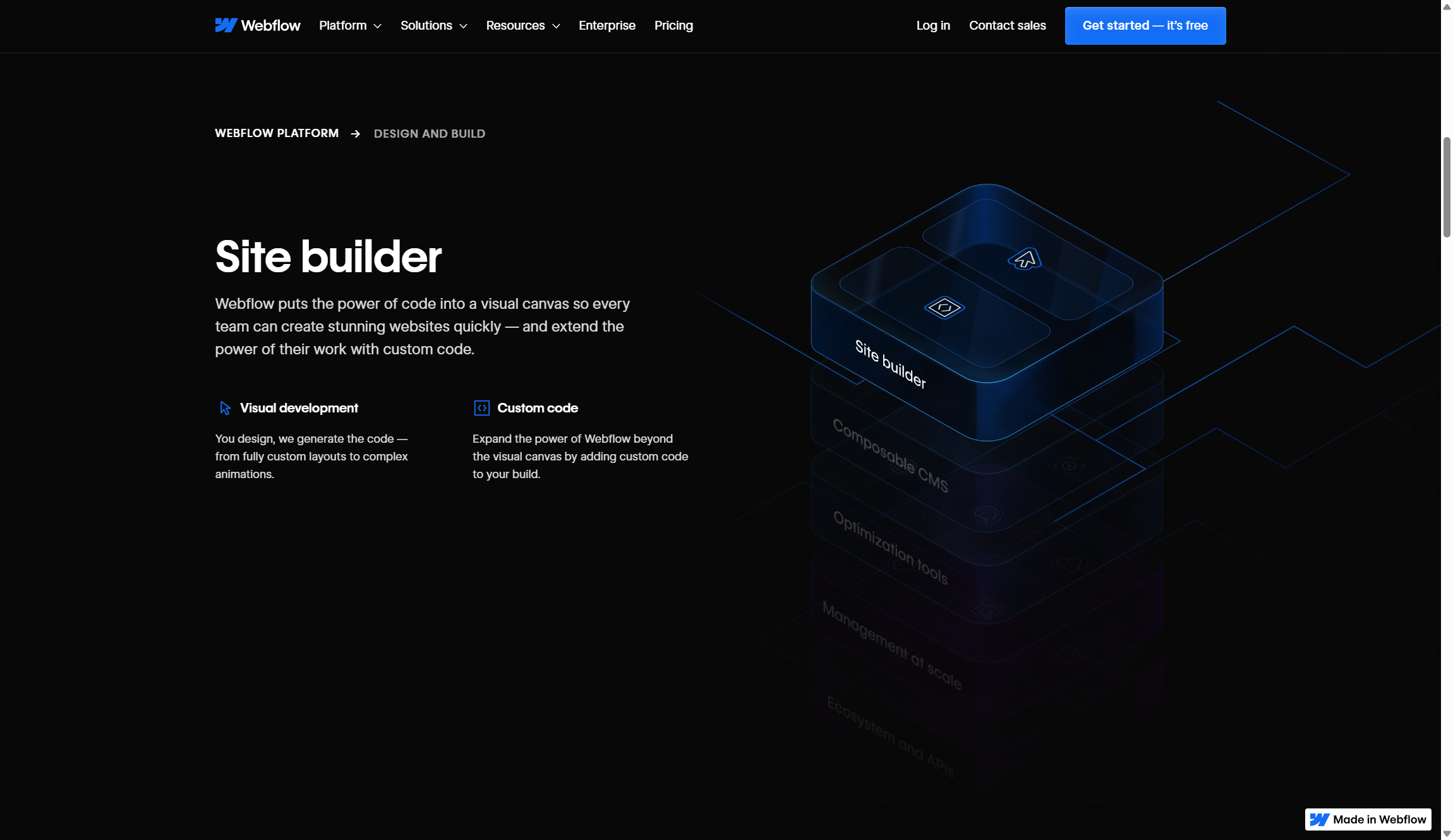
Webflow is an all-in-one web development platform that lets you design, build, and launch websites without touching code. Think of it as a visual interface that automatically writes professional HTML, CSS, and JavaScript as you design. You drag elements, adjust layouts, and customize styles - while Webflow handles the technical implementation behind the scenes.

The platform consists of four main components: Designer for visual website creation, CMS for content management, e-commerce tools for online stores, and hosting services. Unlike simple website builders that limit your design options, Webflow embraces web development principles like flexbox, CSS Grid, and responsive breakpoints — making them visual and accessible to non-coders.

Features

Webflow offers an impressive feature set that rivals professional development tools while maintaining visual accessibility. The platform's Designer interface provides holistic CSS controls, including advanced layout options like CSS Grid and Flexbox, custom animations, and responsive design tools. You can create complex interactions, manage global design systems, and even add custom code when needed.

CMS capabilities are extremely robust, supporting dynamic content, custom fields, and automated workflows through integrations like Zapier. Content creators can manage blogs, portfolios, and product catalogs through an intuitive interface, while designers maintain full control over how that content appears. The 2025 updates have added nested collection lists and improved localization controls, making content management even more powerful.

E-commerce functionality covers essential online store needs, though it's not as comprehensive as dedicated platforms like Shopify. You can manage products, customize checkout experiences, and integrate with payment processors like Stripe and PayPal. However, advanced e-commerce features like subscription billing or complex inventory management require workarounds or third-party integrations.

AI additions include an AI Assistant for generating page sections, Webflow Optimize for conversion testing, and an AI Site Builder in beta. These tools speed up common tasks without replacing the need for design expertise. The pricing reflects this feature richness. While more expensive than basic builders, the professional capabilities justify the cost for users who need design flexibility and clean code output.

Tools

Unlike most website builders, Webflow doesn't hold back when it comes to developer-friendly features, whether you're looking to set up complex A/B testing workflows or create CSS and Javascript-heavy animations. Here are some new features we liked the best during our review:

AI assistant

Like many other AI website builders , Webflow offers an AI assistant to help you get things done. For example, Webflow's AI assistant will allow members of your team to quickly design and generate new styled content by using conversational prompts.

It can also generate a full CMS item with contextually relevant content based on a simple prompt. This will be a huge time saver for agencies and businesses looking to spin up realistic content for new pages.

Personalization and optimization

Webflow recognizes the importance of analytics to agencies and businesses. The Optimize feature offers AI-powered A/B testing and personalization. It works behind the scenes in real-time to ensure a dynamic and personalized user journey every time.

Similarly, Webflow Analyze offers users a unified view of visitor behaviors, helping designers and content marketers to make data-backed decisions.

Third-party apps

You can drastically improve the functionality of your website via tWebflow Apps. These cover everything from analytics and automations to forms and marketing.

A recent addition to Webflow Apps is Adobe Express. This app helps you create advanced AI-generated graphics from within the Webflow platform by integrating Abobe Express' powerful image editing tools.

Webflow university

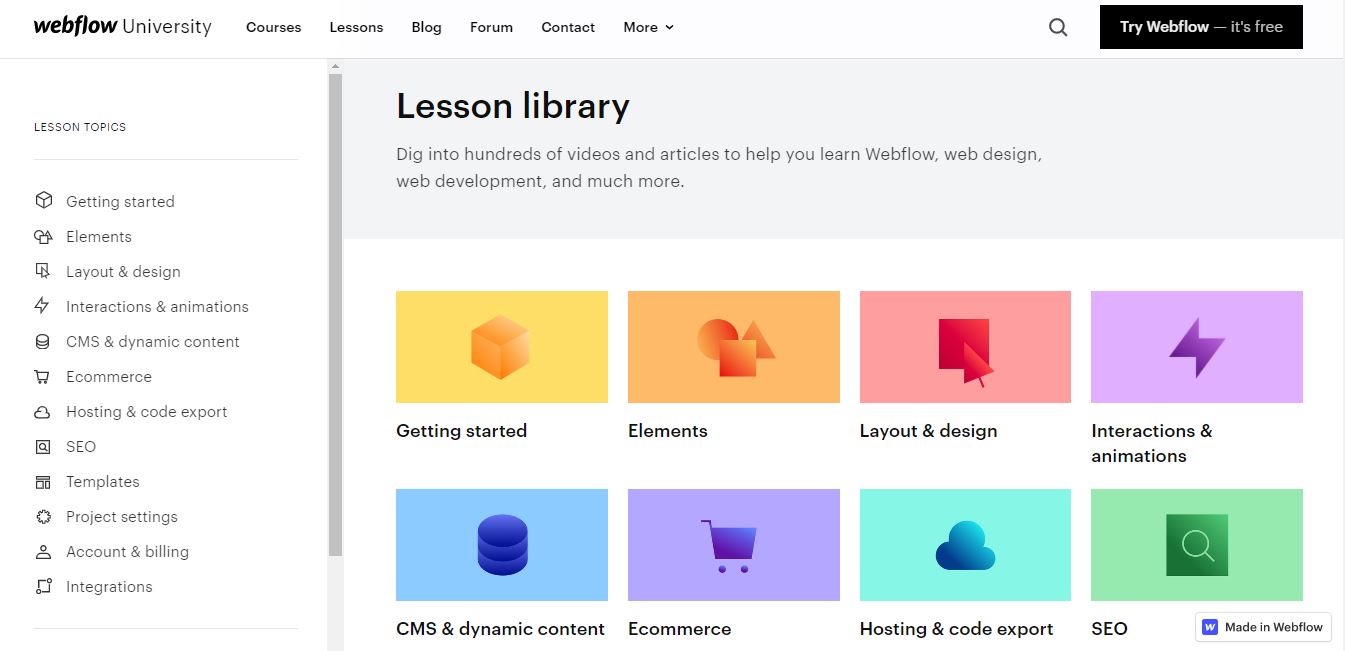
A solid resource for new users is the Webflow University 101 Crash Course videos .

The videos are designed to teach you how to use Webflow and give you all the tricks to make website building a smooth process. They are organized into different lesson categories, and most of them range from 5 to 15 minutes in length.

Anyone can freely access all of the videos. Even if you’re using the free version or just want to learn more about building a website without deciding on a specific platform, these videos are incredibly helpful.

Ease of use

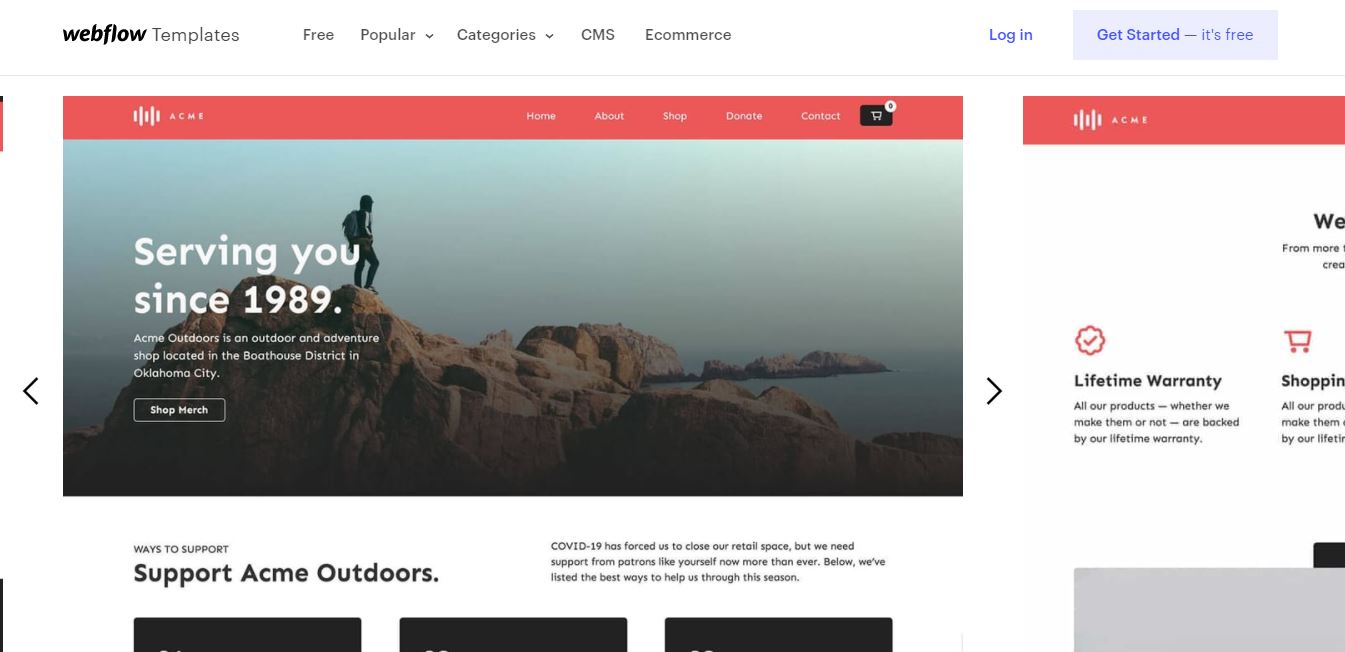
The interface is very easy to navigate - you can access all of the free templates and start using them right away. It’s also easy to find any of the website building tools and features.

Everything on Webflow is very well-organized. For example, if you’re looking at templates and want something for a photography portfolio, all you need to do is select free templates and then start searching by category, the style you want, or by features. Tons of examples will show up for you to look through. The organization and free easy access makes finding a template quick and easy.

Pricing

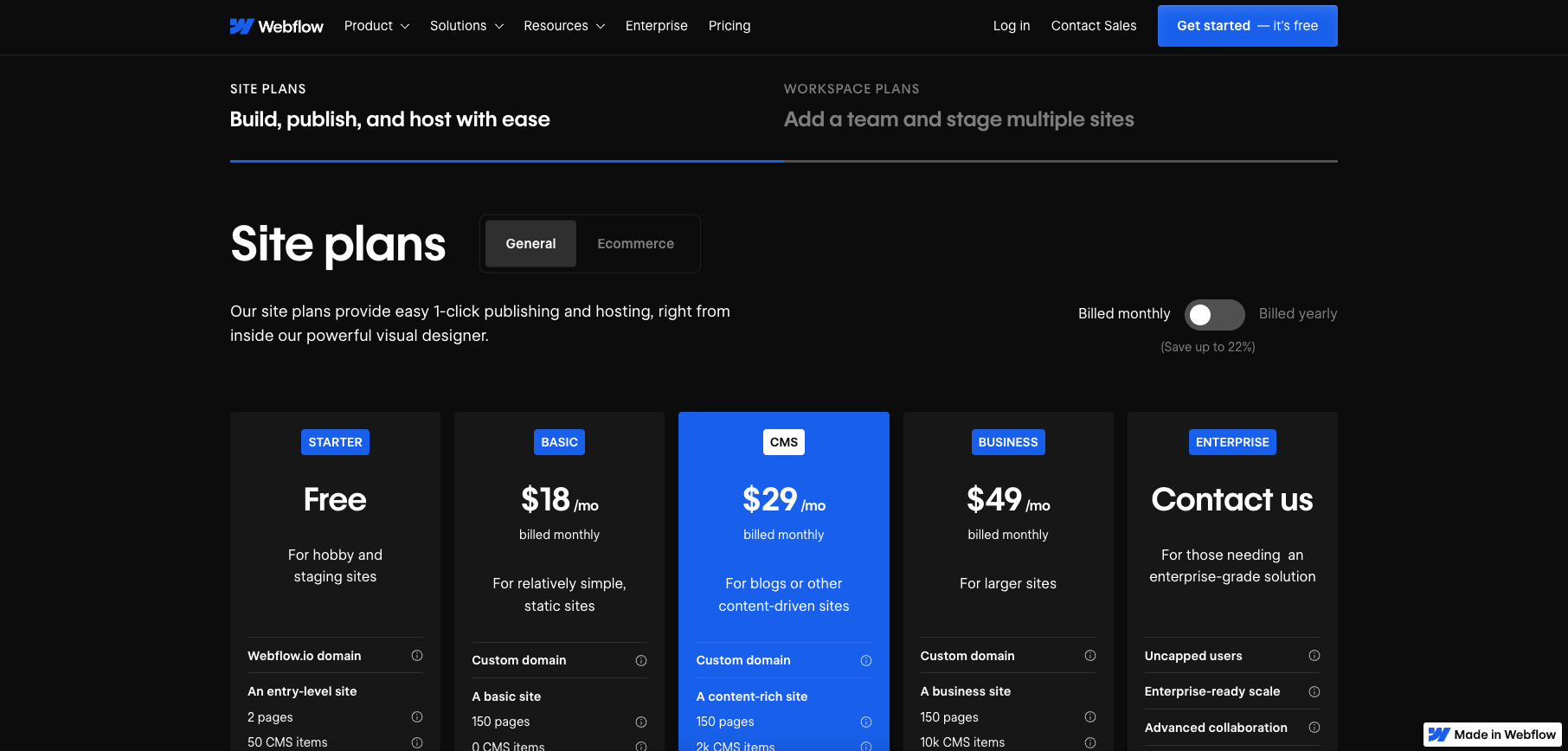
When you start using Webflow, you’ll have the option to choose between site plans and workspace plans. Site plans are for personal websites, blogs, and small businesses. Within site plans you will have access to both general site options and ecommerce options. Account plans are targeted more towards professionals, making them ideal for agencies and freelancers.

Webflow offers one of the best free website builder plans. It includes everything you need to try Webflow. There’s no credit card required for setup and you can use it for an unlimited time. It includes access to a Webflow.io domain, 50 CMS items, and 50 form submissions.

The Basic plan costs $14.00 per month when you pay annually or $18.00 billed monthly. This gives you everything from the Starter plan, plus extra site pages (150) and an allowance of 250K visitors. The CMS plan costs $23 monthly (paid annually) or $28 paid monthly, for this you get 3 website editors, site search, and 250GB of bandwidth.

The Business plan costs $39.00 per month when paid annually ($49 paid monthly). It includes everything in the CMS plan, plus extra bandwidth (400GB), extra editors (10), and form file upload. For anything above and beyond the Business plan you can contact Webflow for a bespoke package.

When it comes to ecommerce there are 3 options to choose from. Standard at $29/mo (paid annually) or $49/mo (paid monthly). This comes with 500 ecommerce items, 2000 CMS items, a 2% transaction fee, and all the features of the CMS plan.

Plus is $74/mo (paid annually) or $84/mo (paid monthly). You get 5000 ecommerce items, 10,000 CMS items, and no transaction fee (plus everything from the Business plan). Advanced is $212/mo (paid annually) or $235/mo (paid monthly). This gives you 10,000 extra ecommerce items on top of everything from the Plus plan.

If you need a workspace plan, you have 3 options. The Starter plan is free and comes with access for one user, unlimited paid hosted sites, two webflow.io staging sites (with 2 pages and 50 CMS items), 2 agency guests, and 2 free commenters.

The Core is $19/mo (paid annually) or $28/mo (paid monthly) plan gives you extra users, staging sites, and commenters, as well as page password protection and the ability to use custom code. The Growth plan is $49/mo (paid annually) or $60/mo (paid monthly) - it gives you more users, unlimited staging sites, and publishing permissions.

You can also contact Webflow about personalized packages for any needs which exceed these plans.

Security

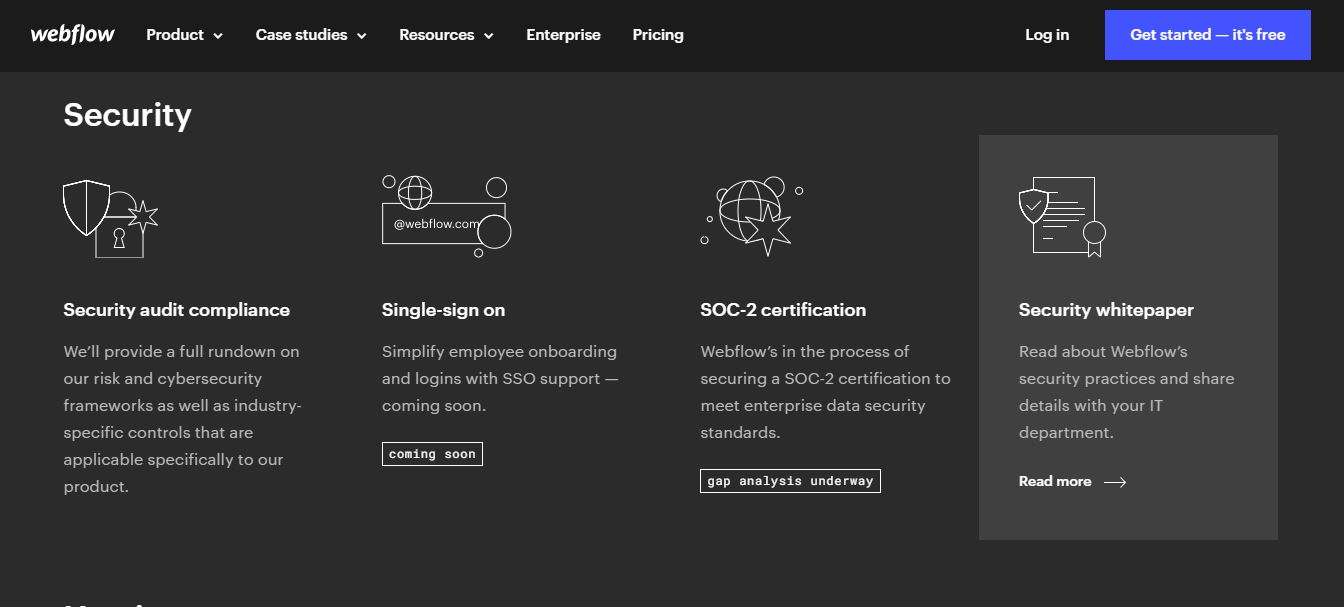
Webflow provides enterprise-grade security features that protect both websites and user data. All sites receive automatic SSL/TLS encryption, with the platform having transitioned to TLS 1.3 encryption in 2022 for enhanced security. The hosting infrastructure includes DDoS protection and automatic backups, ensuring your website remains accessible and recoverable in case of issues.

Additional security measures include PCI-DSS compliance for e-commerce sites and two-factor authentication for account access. Webflow's cloud-based architecture means security updates and patches are applied automatically, reducing the maintenance burden on users while keeping sites protected against emerging threats.

Support

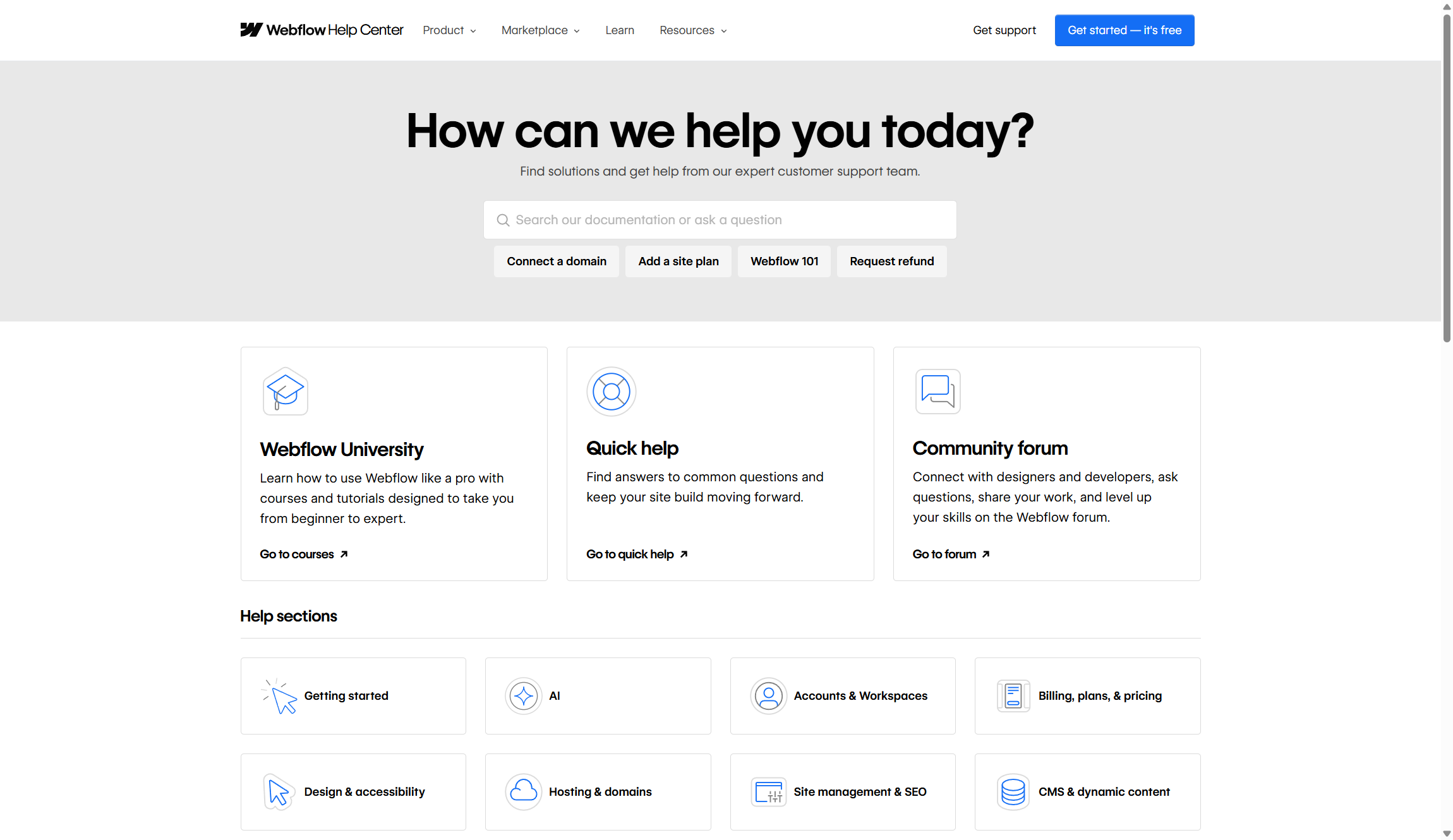
Webflow offers multiple support channels, though the quality and availability vary by plan tier. All users can access the comprehensive Webflow University, which provides detailed tutorials, courses, and documentation covering everything from basic design principles to advanced development techniques. The community forum is active and helpful, with both Webflow staff and experienced users providing assistance.

Paid plan users receive email support, with response times varying based on plan level. Business and Enterprise customers get priority support with faster response times and dedicated account management. However, phone support isn't available across all plans, which some users find limiting compared to competitors.

The platform has also introduced AI-powered customer support tools and help desk integrations, allowing businesses to provide better support to their own customers through Webflow-built sites. While the company's own support is generally helpful, the learning curve means you'll likely need to invest time in their educational resources regardless of your plan level.

Alternatives

Wix , Weebly , and Squarespace , are just a few of the top competitors to Webflow. Wix does offer a free trial for an unlimited time, but it doesn’t even compare to Webflow’s free storage space. Wix includes 50 MB while Webflow offers 10 GB.

But more importantly, not many conventional website builders offer the depth of advanced functionality or the insane amount of educational resources that come with Webflow. If you're looking to switch from a code-intensive workflow to no-code tools without any loss in flexibility, this is the platform for you.

Webflow: Summary

No matter what stage you’re at with building a website, there’s a lot of options on Webflow that could take your website to the next level. The downside is how you can’t export CMS content, however, you will have access to plenty of free materials. Webflow comes with an entire library of video resources, hundreds of free templates, and you can use the free version for an unlimited time. The interface is also very organized - it doesn’t feel like you’re using a cheap web host. Templates look professional and everything is well organized. Overall, Webflow is a great web host, especially if you want to learn new tricks for making website building a lot easier.

FAQs

Is Webflow suitable for beginners?

Webflow has a steeper learning curve than traditional website builders like Wix or Squarespace. While you don't need coding skills, understanding web design concepts like responsive breakpoints, flexbox, and CSS properties will help you succeed. The platform offers extensive educational resources through Webflow University, but expect to invest several weeks learning the interface and best practices.

Can I migrate my existing website to Webflow?

Webflow doesn't offer automated migration tools from other platforms. You'll need to rebuild your site using Webflow's Designer interface, though you can import content through CSV files for blog posts and other structured data. The process requires manual work but gives you the opportunity to improve your site's design and performance during the transition.

What are Webflow's main limitations?

Webflow has several notable limitations including a 100 static page limit per project and 10,000 CMS items per site. The platform also requires a stable internet connection since it's entirely cloud-based. E-commerce features, while solid, aren't as comprehensive as dedicated platforms like Shopify. Version control is only available on Enterprise plans, which can complicate team workflows.

Like this article? For more stories like this, follow us on MSN by clicking the +Follow button at the top of this page.

Notification
This is just an example, you can fill it later with your own note.
Done